autor:
Tebi
/
9. 3. 2026
Read the updates on KDS and Reservations — plus a batch of improvements to cut down on taps and admin time.
2026 is off to a busy start. Our teams have spent the first few months focused on making Tebi more reliable, faster, and easier to use. We know how much of a difference it makes to save you even a few seconds per sale, so we’ve strengthened the Tebi platform, redesigned tables and tabs, and removed unnecessary taps across the product — and we’re just getting started. Plus, we’ve built some big Kitchen Display updates that will get your kitchen firing at the pace they need.
March means terrace season is upon us. We’re finally seeing the sun in our Amsterdam and London offices, which means covers are up, queues are forming, and every second counts. Here are some pro tips to make the most of this season:
Get your outdoor seating dialed in: set up your terrace availabilities and highlight those experiences. Remember you can drag and drop tables during service as the extra chairs come out.
Ditch the paper receipt run: let guests scan a QR code straight from your terminal and get their receipt without you running inside
Stack up on terminals: more order and payment points means getting everyone their correct order and turning tables faster. Order terminals here.
Read on for what’s new this month.
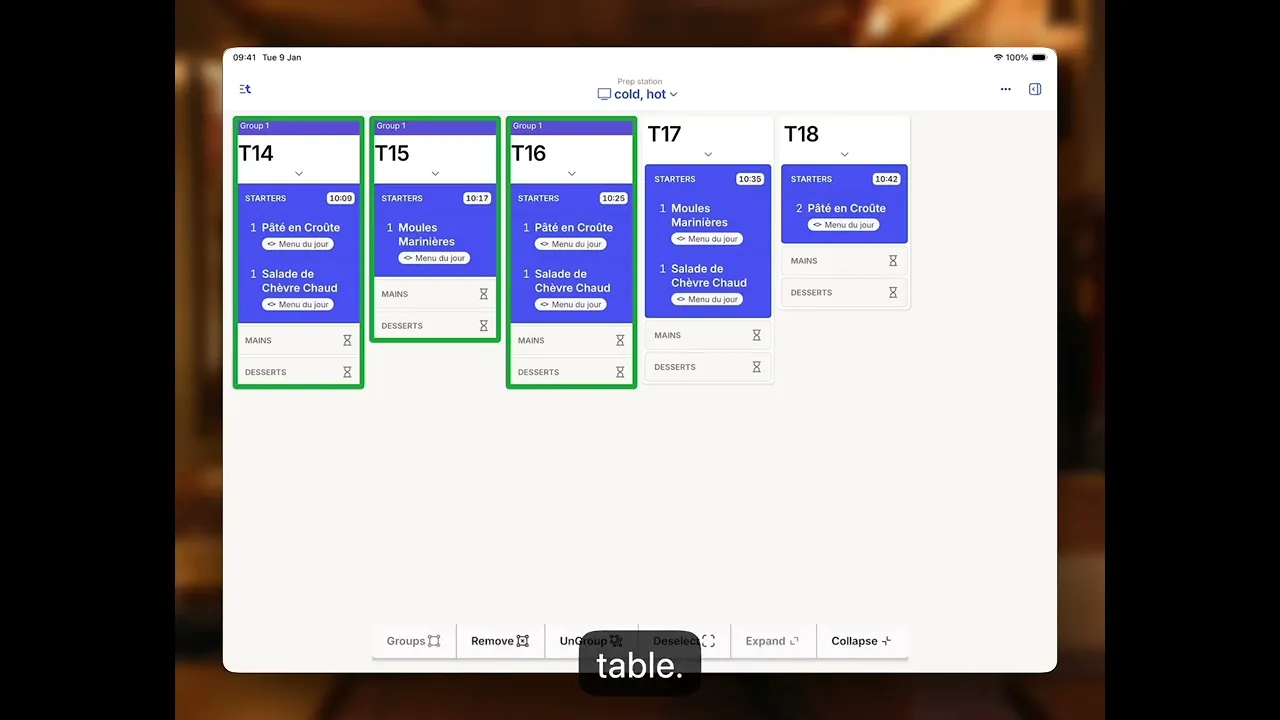
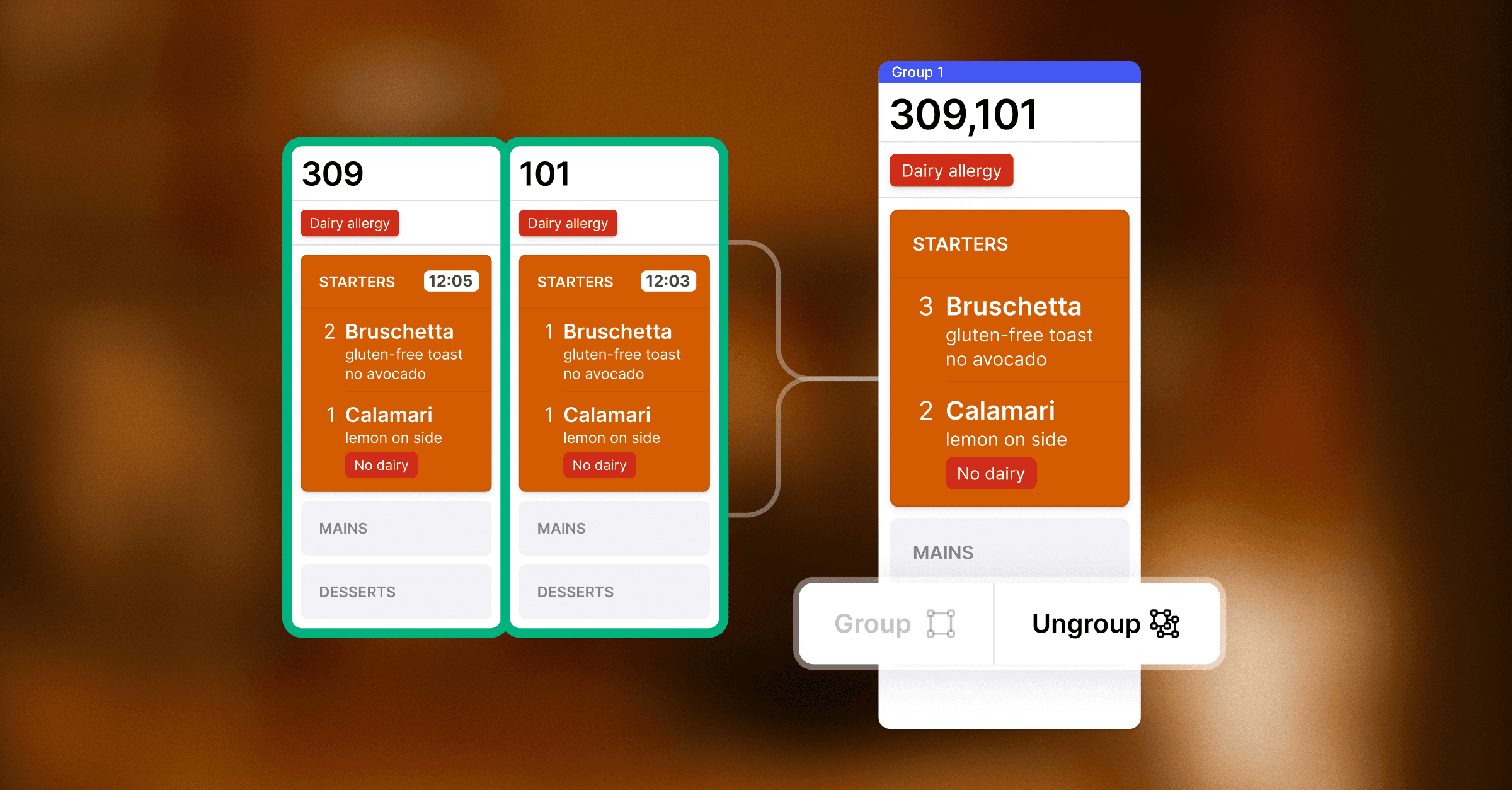
New: KDS grouping
Grouping combines tickets for tables running at a similar pace, so you can prep courses or dishes in sync. Five pastas ordered at the same time? Fire them together. Your kitchen can prepare the same dishes across all orders at once, cutting down on back-and-forth and keeping prep efficient. Watch an explainer from David to see how these features work >
Visual course timers on prep stations
With visual course timers on your digital prep stations, every ticket gets a clear countdown so the kitchen fires on time and staff serve when it's hot. The kitchen and front of house stay aligned, and orders move through the pass with fewer "where are we on this?" moments. You can enable this feature in the App > Settings > Prep stations > Timers.
Gift cards on bookings + more on Reservations
We've released a batch of Reservations improvements to help you organise bookings easier and fill tables with confidence.
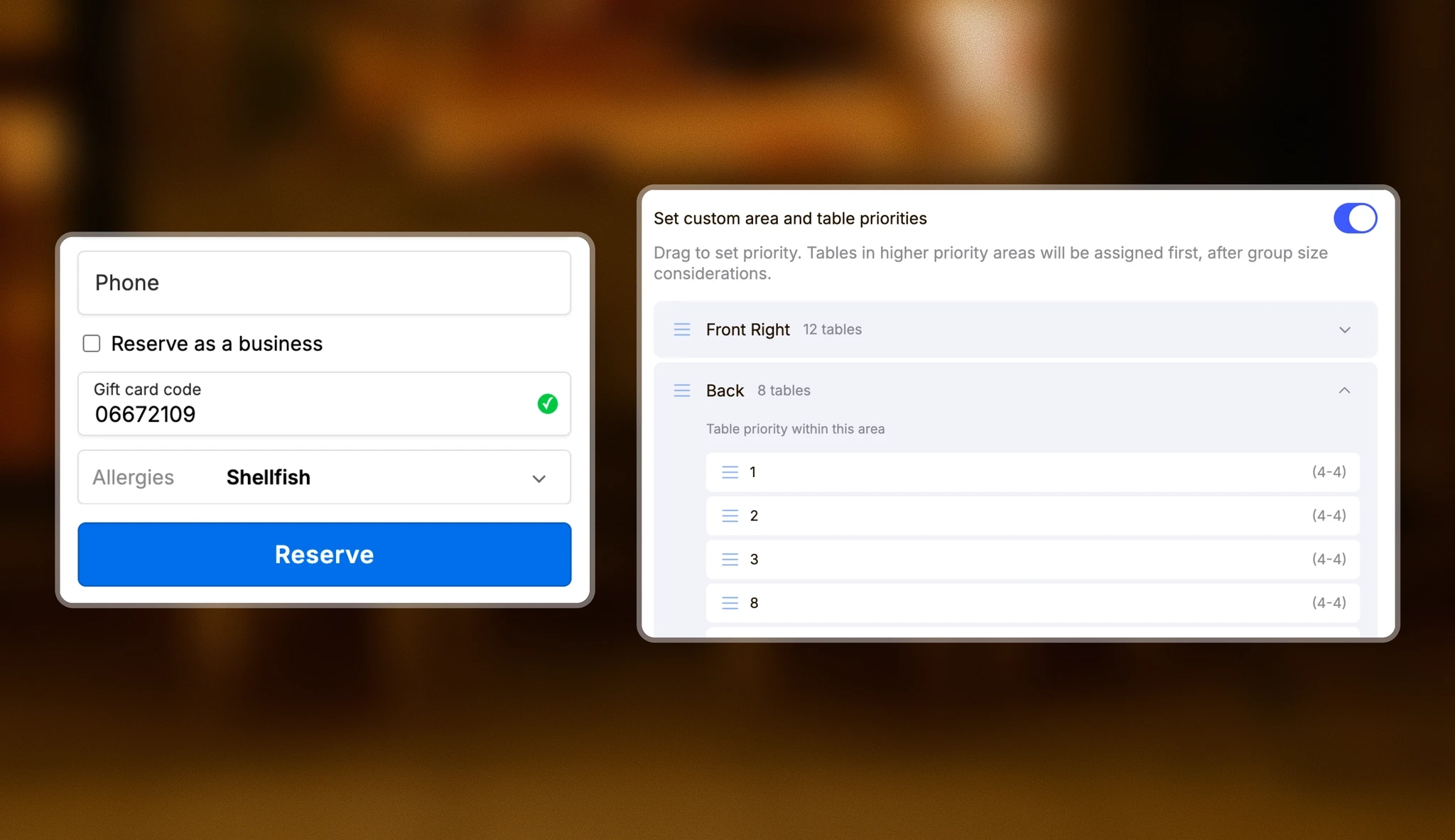
Gift cards on bookings: Guests can now enter gift cards in the reservations widget (available for merchants with gift cards enabled).
Seating priorities: Guide which tables fill first by setting seating priorities for your floor.
Reservations troubleshooting: Identify and resolve booking issues in seconds with built-in troubleshooting.
Quick-select allergies: Set pre-defined allergies and dietary restrictions that guests can easily select when booking. These are added to sales as notes and sent straight to your kitchen.
Improved Reservations list: See enhanced guest details in the list view, including group size, visit count, and service type.
Small, but mighty improvements you'll like
We've been busy solving a range of requests to cut down on taps and admin time:
Monthly calendar view in the App — reservation counts, waitlist groups, and closed days, all at a glance
Walk-ins are now labeled in the Reservations list view
Cleaner reservation sidebars: Manage customers faster with an updated sidebar in the Back Office
Weekday in reservations: See the day of the week alongside your reservation dates in the App
Every guest must enter a valid phone number at booking
Easier report navigation in the Back Office
VAT amount shown per line item on invoices for a clearer financial overview
Closed ticket view in KDS: Now shows all tickets regardless of status filter, sorted by open time
Read the full list on the changelog